For fashion brands
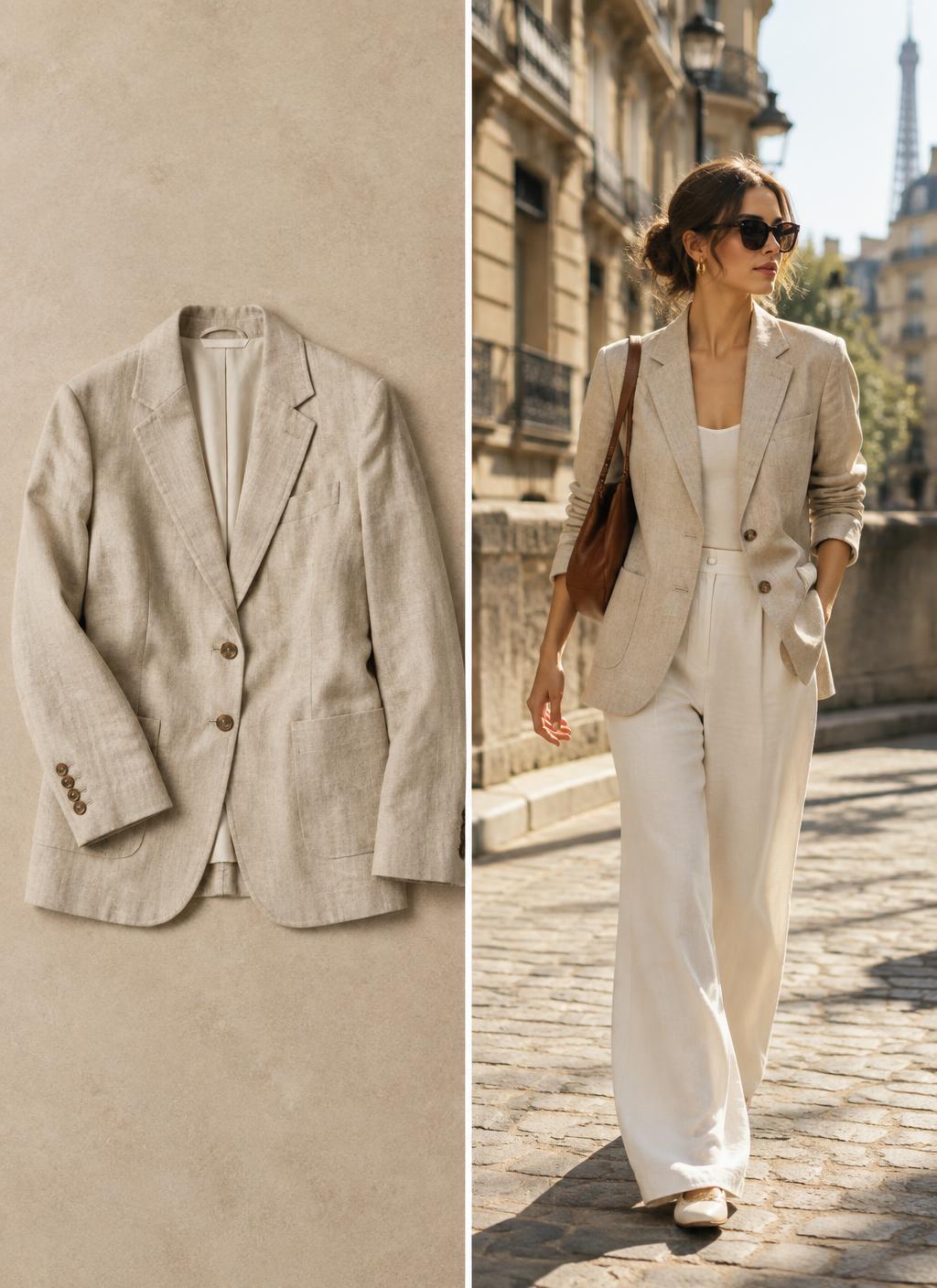
AI Flat Lay to Model Generator: On-Model Photos & Video
Flat lay to on-model takes a product laid flat and shows it worn by a generated model, in an editorial studio, clean e-commerce setup, Parisian street or sunlit terrace, then adds gentle movement.
- You upload
- A flat-lay photo of one garment
- You get
- An on-model still and a short motion clip
How it works
- 1.Upload the flat lay
- 2.Pick editorial, e-commerce, street or terrace
- 3.Generate and compare takes
- 4.Keep the most accurate version
Good for
- Product pages without model shoots
- Marketplace listings
- New colourways
- Small-batch and pre-order items
Honest limits
- Complex cuts can be simplified
- Check colour against the real sample
- Not a substitute for fit photography
Prompt formula
Use this a flat-lay photo of one garment as the exact reference. Create an on-model still and a short motion clip for product pages without model shoots. Keep the product identical: shape, colour, logos and details. Setting: [your scene]. Lighting: [soft daylight / studio softbox]. Camera: [slow push-in / gentle orbit]. Mood: [your brand mood]. Photorealistic, no extra text.
Works in any image or video AI tool. In Motion Studio this is done for you.
Pricing: pay as you go from your credit wallet. The price of each clip is shown before you generate. No subscription.
Try it in Motion StudioSee it in a concept study
Your next step
Go from free tool to real results
Questions
- Which flat lays work best?
- Even light, no creases, the full garment in frame and a plain background.